
Automate ScreenshotEngine with viaSocket
Trigger high-quality screenshots from your business apps and AI workflows, then route them instantly into storage, reports, and approvals—without manual capture.





Available Events and Actions
Enable Integrations or automations with these events of ScreenshotEngine
When this happensTrigger
No trigger available
Do thisActions
Action is the task that follows automatically within your ScreenshotEngine integrations.
Capture Website Screenshot
Take a screenshot of a web page and return a public image URL.
Create Screenshot with Watermark
Captures a screenshot of a web page and applies a custom watermark using ScreenshotEngine.
Explore more automations built by businesses and experts



How to get started with ScreenshotEngine automations
Automate when something happens in ScreenshotEngine
Login -> Create new flow -> Select trigger -> Search ScreenshotEngine -> Choose the trigger from the list
Take action in ScreenshotEngine when something happens in an app or you want to add step in flow
Login -> Create new flow -> Select action -> Search ScreenshotEngine -> Choose the action from the list
Trigger
Action




Know More About Screenshotengine Integrations
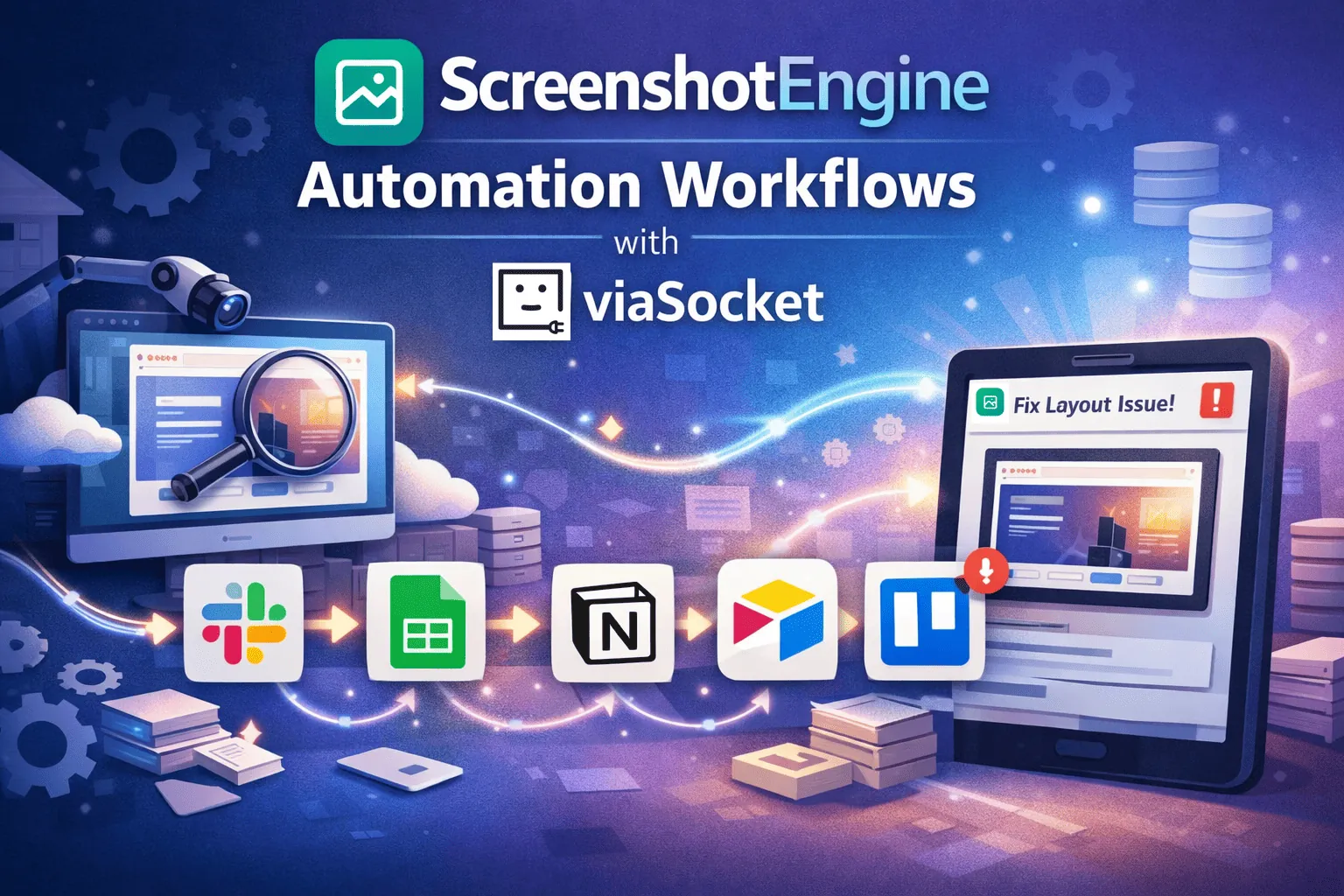
ScreenshotEngine Automation Workflows with viaSocket
Automate screenshot capture and post-processing with ScreenshotEngine and viaSocket. Capture from form submissions, log to Google Sheets, attach to Notion, archive in Airtable, and create Trello tasks.
How viaSocket Works | A Complete Guide
Gain insights into how viaSocket functions through our detailed guide. Understand its key features and benefits to maximize your experience and efficiency.

5 Simple Automation Hacks to Make Your Team Free
Unlock your team's potential with 5 straightforward automation hacks designed to streamline processes and free up valuable time for more important work.
What is Workflow Automation - Definition, Importance & Benefits | A Complete Guide
Workflow automation is the process of using technology to execute repetitive tasks with minimal human intervention, creating a seamless flow of activities.
Frequently Asked Questions
You can automatically trigger screenshots from events in your CRM, CMS, support tools, or internal systems, then route the images to storage, documentation, reports, or notification channels. This removes manual screenshot capture from your daily work.
No. viaSocket is built for non-technical operators. You choose a trigger (like a new page, new deal, or a schedule), connect ScreenshotEngine, and define where the screenshots should go. The setup is guided and does not require coding.
You can add AI steps before or after ScreenshotEngine runs. For example, AI can decide when screenshots are needed based on content changes, summarize what changed in each image, or categorize screenshots for reports. viaSocket chains these AI decisions into your ScreenshotEngine workflows automatically.
You can send screenshots to tools you already use: cloud storage (like Google Drive or S3), documentation platforms, project tools, or reporting systems. viaSocket lets you choose multiple destinations in the same workflow.
Yes. With viaSocket, you can schedule ScreenshotEngine to capture specific URLs at set times or frequencies, then push the images into your reporting, QA, or monitoring workflows automatically.
About ScreenshotEngine
ScreenshotEngine is a powerful tool designed to capture and manage screenshots efficiently. Perfect for developers, designers, and content creators, it offers seamless integration and high-quality image processing.
Learn More
About viaSocket
viaSocket is an AI-powered, workflow automation platform that helps people and businesses connect apps and automate repetitive tasks. With thousands of integrations, anyone can build workflows to move data, cut manual work, and save time. Whether for simple tasks or large-scale processes, viaSocket makes automation easy and helps teams focus on what matters most.
Learn MoreviaSocket
For SaaS
For AI Agent Builders
Support
Automation Experts


Plans, Pricing and Offer
AI & Automation
© 2026 viaSocket |Privacy,TermsandData Retention & Deletion Policy
Walkover Web Solutions Pvt Ltd. | All rights reserved.